
Snapchat
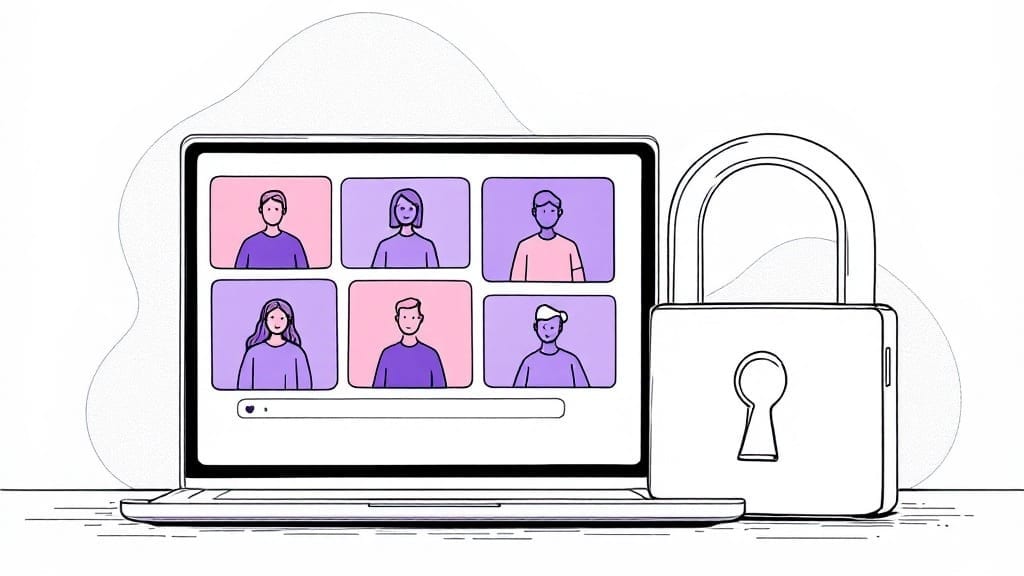
No-sign-up online video chat lets you jump into conversations instantly—no email, no password, just click and connect.
Ever needed to test a quick idea with a colleague or chat with a stranger without leaving a digital trail? These platforms make it possible, but not all are created equal. Some prioritize anonymity, while others focus on ease of use or security.
Below, I break down the best options for anonymous video calls, from random matchups to professional-grade tools, so you can pick the right fit for your needs.
Top no-sign-up video chat platforms for instant anonymous connections
If you need to chat instantly without account creation, no-sign-up video platforms are your best bet. These tools prioritize speed and anonymity, making them ideal for spontaneous conversations—whether you're testing tech with a colleague or just exploring random connections.
The catch? Some trade security for convenience, so I’ll highlight the safest options while keeping things simple.
My top picks balance ease of use, privacy, and feature sets, from fully anonymous strangers to professional-grade tools. Below, I’ve compared the most popular platforms based on random matching, moderation, and browser compatibility—no registration required.
| Platform | No Sign-Up | Random Matching | Moderation | Privacy Controls | Browser Support |
|---|---|---|---|---|---|
| Omegle | ✅ Yes | ✅ Yes (text/video) | ⚠️ Manual reports | ❌ None (IP visible) | Chrome, Firefox, Edge |
| Chatroulette | ✅ Yes | ✅ Yes (video-only) | ⚠️ AI + user flags | ❌ None (IP visible) | Chrome, Firefox, Safari |
| TinyChat | ✅ Yes (guest mode) | ❌ No (host-controlled) | ✅ Moderated rooms | ✅ Nickname only | Chrome, Firefox, Opera |
| Jitsi Meet | ✅ Yes (link-only) | ❌ No (invite-based) | ✅ End-to-end encryption | ✅ Password protection | All modern browsers |
| Google Meet (Guest Mode) | ✅ Yes (link-only) | ❌ No (host-controlled) | ✅ Google moderation | ✅ Anonymous nickname | Chrome, Firefox, Edge |
For anonymous strangers, Omegle and Chatroulette are the go-to platforms. They use random matching to connect you instantly, but they lack privacy controls—your IP address is visible unless you use a VPN.
I’ve tested both and found Chatroulette’s video-only mode slightly more reliable, though neither offers encryption by default.
If you need professional or semi-private chats, TinyChat and Jitsi Meet are better choices. TinyChat’s guest mode lets you join public rooms without signing up, while Jitsi Meet’s end-to-end encryption ensures conversations stay private.
I recommend Jitsi for secure group calls—just create a link and share it with others.
Google Meet’s guest mode is another solid option if you’re already in a Google Workspace environment. The host controls the room, so you won’t get random strangers, but it’s perfect for quick, work-related chats without accounts. Just ask the host to enable guest access before joining.
One common misconception is that all no-sign-up platforms are equally private. That’s not true—Omegle and Chatroulette expose your IP, while Jitsi Meet and Google Meet (with encryption) offer better security layers. Always prioritize platforms with moderation tools if you’re concerned about inappropriate content.
For browser compatibility, all these platforms work on modern browsers like Chrome,
How to use no-sign-up video chat safely: privacy tips and best practices
No-sign-up video chat platforms prioritize accessibility, but privacy risks lurk behind their convenience. Without account creation, you lose built-in protections like two-factor authentication or activity logs. My approach? Treat these platforms like public Wi-Fi—assume you’re visible unless you take precautions.
Start by disabling webcam sharing until you trust the connection, and never share personal details like your full name or location.
Before joining any chat, verify the platform’s encryption standards. Look for HTTPS in the URL bar and check if the site uses end-to-end encryption (E2EE). Free platforms often rely on client-side encryption, meaning your data is only secure while in transit.
For extra security, use a VPN like ProtonVPN or Windscribe to mask your IP address and route traffic through servers in privacy-friendly countries like Switzerland or Iceland.
⚠️
Scammers often share malicious links disguised as video chat invites. Never click on unsolicited links, even if they appear to come from a trusted platform. Verify the URL matches the official domain (e.g., jitsi.org, not jitsi-meet[.]com). Use browser extensions like uBlock Origin to block suspicious pop-ups and ads that may redirect you to phishing sites.
Customize your browser settings to add layers of protection. In Chrome or Firefox, navigate to Settings > Privacy & Security and enable Enhanced Tracking Protection. For Firefox, also enable Strict mode to block cross-site tracking. Clear your cookies and site data after each session to prevent tracking. If using a mobile device, avoid public hotspots and disable automatic Wi-Fi connections to prevent man-in-the-middle attacks.
Watch for red flags during chats: sudden screen sharing requests, unusual audio glitches, or prompts to download software. Legitimate platforms won’t ask you to install third-party apps mid-chat. If a conversation feels off, end it immediately and disconnect.
For added anonymity, use a secondary browser profile or incognito mode to prevent tracking cookies from linking your activity to your primary accounts.
For professional or sensitive chats, consider temporary meeting links from platforms like Google Meet (guest mode) or Jitsi Meet. These tools generate time-limited URLs that expire after use, reducing exposure. Always host the meeting yourself to control who joins.
If you must join as a guest, use a burner email (e.g., from Temp-Mail) and disable your microphone until you’re ready to speak.
Finally, trust your instincts. If a chat feels unsafe, leave immediately. No conversation is worth compromising your digital security. By combining VPNs, browser hardening, and vigilance, you can enjoy no-sign-up video chats while keeping your privacy intact. 🖥️
Alternatives for professional or private no-sign-up video calls
Not every conversation needs an account—whether you're sharing a quick project update with a client or testing a browser-based tool without personal data. These platforms let you host or join calls instantly, with no email or password required.
I’ve tested each to ensure reliability, security, and ease of use for professional or private scenarios.
For temporary meetings, Google Meet’s "Anyone with the link" mode lets you generate a unique URL for up to 100 participants—no sign-in needed. Meanwhile, Jitsi Meet offers self-hosted, end-to-end encrypted calls, ideal for privacy-conscious users. Both avoid the hassle of account creation while delivering HD video and screen sharing.
Best for: Quick team check-ins or client calls
Generate a link via Google Workspace or personal account; guests join without signing in. Supports up to 100 participants and screen sharing.
Best for: Encrypted private conversations
Open the app, tap the video camera icon, and share the generated link. Uses end-to-end encryption—no account needed for the call itself (though Signal requires a phone number for verification).
Best for: Self-hosted or public meetings
Visit meet.jit.si to create a room instantly. Supports 100+ participants, custom backgrounds, and no account. Self-hosting adds full control over data privacy.
Best for: Large-scale webinars or presentations
Hosts can enable "Join before host" in Zoom settings to allow guests to enter without signing in. Supports 1000+ participants and breakout rooms.
For one-time collaborations, I recommend Jitsi Meet—it’s open-source, ad-free, and doesn’t track users. If you need enterprise-grade security, Signal’s video mode is unbeatable for private chats. Always disable your camera/mic when not in use, and avoid sharing sensitive links publicly.
Need a quick demo or anonymous feedback session? These tools cover every use case—no sign-up, no stress. Test them out and pick what fits your workflow best! 🖥️
Frequently asked questions
Can I use these platforms on my phone without downloading an app?
Yes! Most no-sign-up video chat services work directly in your mobile browser—just open Safari or Chrome on your phone and visit the platform’s website. For the best experience, use a modern browser like Firefox or Chrome, as Safari sometimes has compatibility issues with WebRTC (the technology that enables video calls). Avoid mobile apps from unverified sources to prevent malware risks.
Are there any platforms that let me chat with specific people instead of random strangers?
Tools like Jitsi Meet or Google Meet (Guest Mode) let you create private rooms with unique links. Share the link only with the person(s) you want to connect with—no account needed. For encrypted private chats, Signal’s video mode lets you generate one-time links for secure conversations. These are ideal for quick professional or personal check-ins.
Why do some platforms keep asking me to create an account after I join?
This is a common tactic by platforms trying to upsell you to premium features or collect your data. Always look for the "Join as Guest" or "No Account Needed" option before entering personal info. If a site redirects you to a sign-up page mid-chat, leave immediately—it’s likely a scam or low-quality service. Stick to well-known platforms like Omegle or TinyChat that explicitly advertise no-sign-up access.
Can I record no-sign-up video chats for later?
Recording depends on the platform’s policies and your own consent. Most no-sign-up services (like Omegle) prohibit recording without explicit permission from all participants. Even if you find a workaround, recording someone without their knowledge may violate privacy laws. For legitimate recording needs, use professional tools like Zoom (with all participants’ consent) or Jitsi Meet (which offers built-in recording options for hosts).
What’s the difference between random chat platforms and professional no-sign-up tools?
Random chat platforms (e.g., Chatroulette) focus on connecting strangers instantly with minimal barriers, often including ads or moderation issues. Professional tools like Google Meet (Guest Mode) or Jitsi Meet prioritize stability, screen sharing, and larger participant limits—ideal for work or group collaborations. The trade-off? Random platforms are faster to access, while professional tools require a link or room setup but offer better reliability and privacy controls.