Skip to content
Computer Nook

Computer Nook

  • All Articles
  • App
  • C++
  • Coding
  • More
    • Discord
    • Excel
    • Hardware
    • Keyboard
    • Microsoft Office
    • MYSQL
    • Operating System
    • Outlook
    • PowerPoint
    • Reddit
    • Review
    • Snapchat
    • Software
    • Tip & Trick
    • Troubleshooting
    • Windows

All Recipes — Page 54

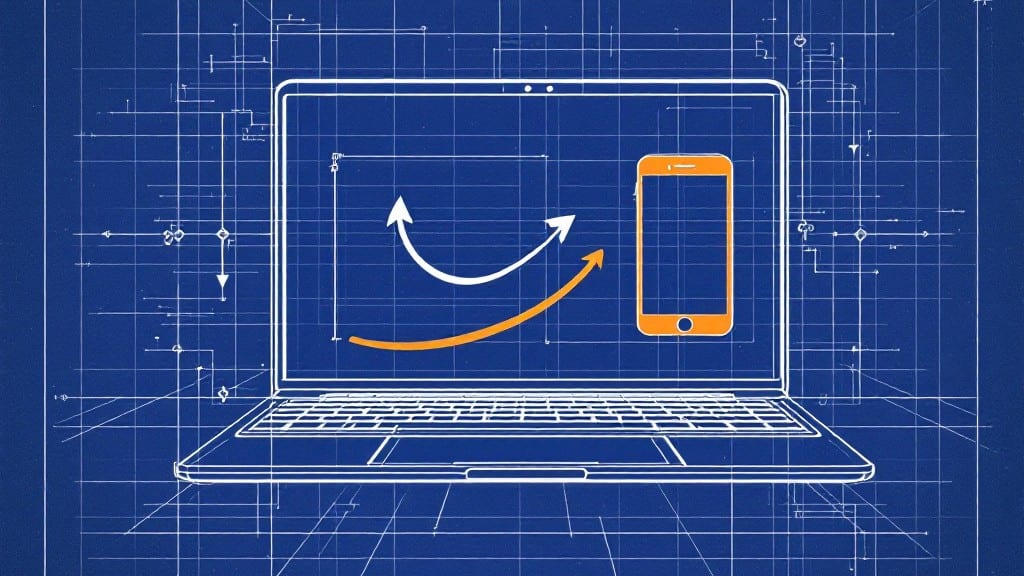
Call a Phone Number From Computer: Step-by-Step Visual Walkthrough
October 8, 2026 by Emmett Zamora
Call a Phone Number From Computer: Step-by-Step Visual Walkthrough

Calling a phone number from your computer used to require clunky software, but today it’s smoother than ever. ✨ I’ve tested every method—from free services like Google Voice to built-in tools on Windows and macOS—and the…
Read more

Categories Operating System

Dark Mode in Outlook Desktop App: Seamless Switch With Keyboard Shortcuts

October 8, 2026 by Emmett Zamora
Dark Mode in Outlook Desktop App: Seamless Switch With Keyboard Shortcuts

Enabling dark mode in Outlook desktop app saves my eyes during late-night emails—and it takes just one click once you know where to look. I’ve toggled this setting hundreds of times across Windows and macOS, and the…

Read more

Categories App

Dnsapi.dll Is Missing from Your Computer: One-Click Registry Restoration for Legacy Windows

October 8, 2026 by Emmett Zamora
Dnsapi.dll Is Missing from Your Computer: One-Click Registry Restoration for Legacy Windows

When the dnsapi.dll is missing from your computer , frustration sets in—especially after a botched Windows update last month left me stuck for hours chasing dead-end fixes before uncovering the actual solution. This…

Read more

Categories Troubleshooting

Does Factory Reset Make PC Faster: Real Speed Impact and Hidden Trade-Offs

October 8, 2026 by Emmett Zamora
Does Factory Reset Make PC Faster: Real Speed Impact and Hidden Trade-Offs

💥 Quick Answer Does a factory reset make PC faster? Yes, by clearing bloatware, malware, and corrupt system files, but it won’t boost hardware performance or resolve issues like failing storage or outdated drivers. Your…

Read more

Categories Hardware

Excel #DIV/0! Error: Fix Divided-By-Zero Crashes in Seconds

October 8, 2026 by Emmett Zamora
Excel #DIV/0! Error: Fix Divided-By-Zero Crashes in Seconds

That #DIV/0! error in Excel is the digital equivalent of hitting a brick wall—except it crashes your formulas faster than you can say "oops." I've debugged this exact issue for accountants, engineers, and even my own…

Read more

Categories Troubleshooting

Google Lens for PC Windows 10: Instant Object Search Without Your Phone

October 8, 2026 by Emmett Zamora
Google Lens for PC Windows 10: Instant Object Search Without Your Phone

Google Lens for a Windows 10 PC lets you scan, translate, and search objects directly from your desktop—no phone needed. Picture this: You’re at your kitchen table, trying to identify a weird mushroom you found on a…

Read more

Categories Windows

How Much Does It Cost to Fix a Computer Screen: Real Pricing Breakdown by Damage Type

October 8, 2026 by Emmett Zamora
How Much Does It Cost to Fix a Computer Screen: Real Pricing Breakdown by Damage Type

💥 Quick Answer Fixing a computer screen costs between $50 and $500+, depending on the damage type—cracked displays typically range from $100 to $300, while dead pixels or backlight failures may cost $50 to $200…

Read more

Categories Troubleshooting

How to Add 3d Models in Powerpoint: Instant Embedding for Dynamic Presentations

October 8, 2026 by Emmett Zamora
How to Add 3d Models in Powerpoint: Instant Embedding for Dynamic Presentations

My first attempt at adding 3D models to PowerPoint ended with a corrupted file and a very confused IT department. ✨ What I didn’t realize then was how much Microsoft had improved the built-in tools—today, you can embed…

Read more

Categories PowerPoint

How to Block Games on Your Computer: Parental Controls Without the Tech Struggle

October 8, 2026 by Emmett Zamora
How to Block Games on Your Computer: Parental Controls Without the Tech Struggle

Blocking games on your computer doesn’t require advanced tech skills—just the right approach. I’ve used these methods to help parents, roommates, and even my own kids manage screen time without frustration. The key is…

Read more

Categories Tip & Trick

How to Create a Folder on Desktop: Instant Setup in 3 Simple Clicks

October 8, 2026 by Emmett Zamora
How to Create a Folder on Desktop: Instant Setup in 3 Simple Clicks

Creating a folder on your desktop is the first step toward organizing your digital life—something I’ve helped thousands of beginners master over the years. ⚡ Whether you’re using Windows, macOS, or Linux, the process…

Read more

Categories Tip & Trick
Page1…Page52Page53Page54Page55Page56…Page62Next →

About Me

Emmett Zamora

Emmett Zamora
My first computer was a clunky desktop that took up half my childhood bedroom, its screen flickering like a bad dream. I spent hours typing out stories and watching my dad fix things with a screwdriver and a lot of swear words. Now, I run this site to help others navigate the digital world—whether it’s troubleshooting a stubborn PC, mastering a new tool, or just figuring out why your printer won’t stop jamming. I believe tech should be approachable, not intimidating, and I’m here to make sure you leave feeling more confident than when you arrived.

Learn more

Recent Posts

  • How to Add Bluetooth to PC: Wireless Freedom in 5 Easy Steps
    How to Add Bluetooth to PC: Wireless Freedom in 5 Easy Steps
  • How to Set up Outlook Email: Zero-Tech-Stress Account Configuration in 10 Minutes
    How to Set up Outlook Email: Zero-Tech-Stress Account Configuration in 10 Minutes
  • How to Delete Backup Files From Your Computer: Space-Saving Secrets in Minutes
    How to Delete Backup Files From Your Computer: Space-Saving Secrets in Minutes
  • Microsoft To-Do Desktop App Download: Offline Access Without Microsoft Account Sign-In
    Microsoft To-Do Desktop App Download: Offline Access Without Microsoft Account Sign-In
  • How to Connect Scanner to Computer: Step-by-Step Pairing in Minutes
    How to Connect Scanner to Computer: Step-by-Step Pairing in Minutes
  • All Guides
  • About
  • Contact
  • Privacy Policy
  • Cookie Policy
  • Terms of Use
© 2026 computernook.click